

by Red Rat in Hat

Calculate the racing line, speed, and lap time for your track.

Import a track image, plan, sketch, or satellite view and calculate the racing line, speed profile, braking points, acceleration, and lap time directly on your device.

Racing calculator Track image workflow Karting Lap time Braking points Local calculation

Screenshots

Home screen - RaceLineCalc
Home screen
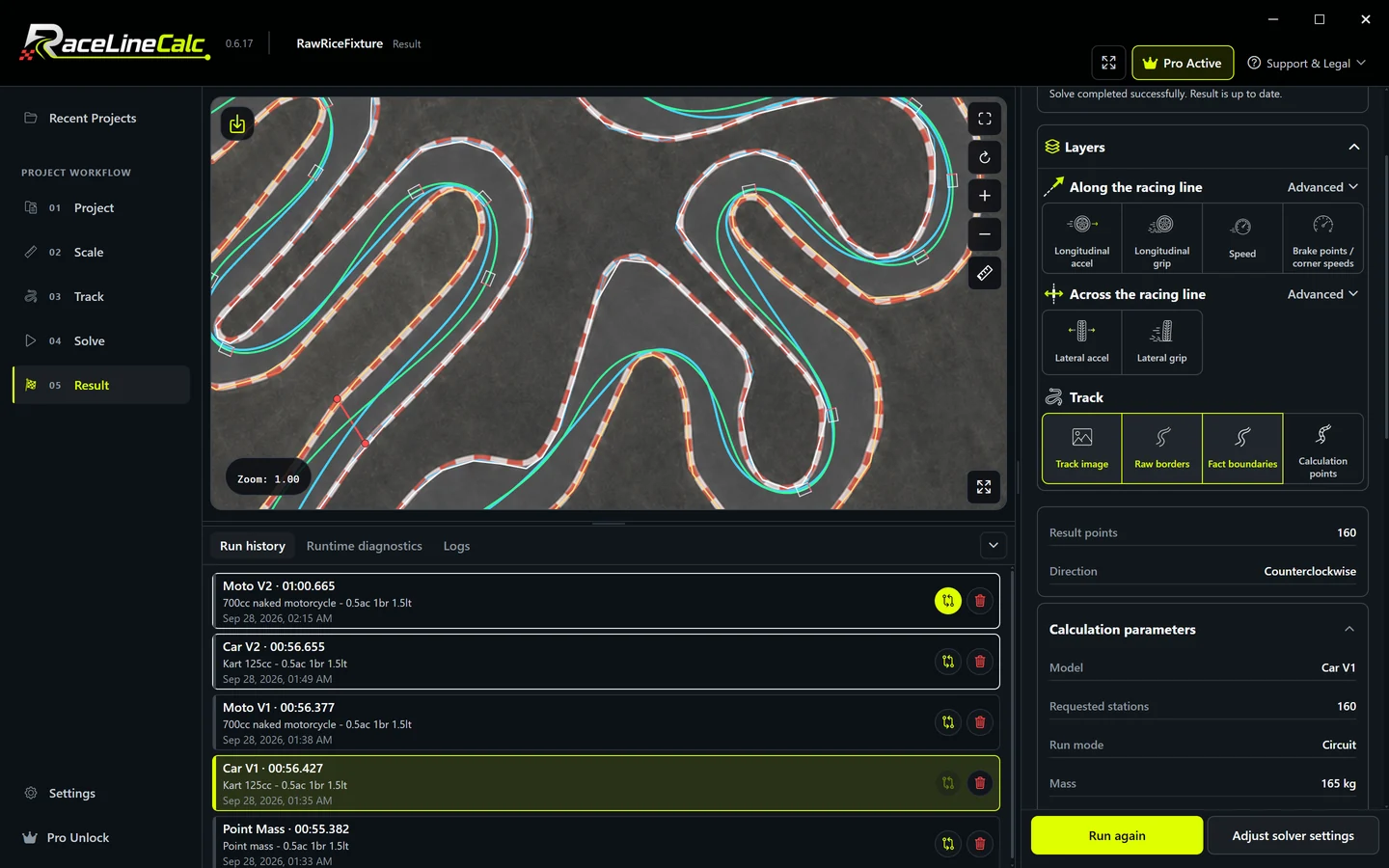
Racing line and lap time - RaceLineCalc
Racing line and lap time
Track editor - RaceLineCalc
Track editor
Point model setup - RaceLineCalc
Point model setup
Car model parameters - RaceLineCalc
Car model parameters
Acceleration overlays - RaceLineCalc
Acceleration overlays
Braking points and speed - RaceLineCalc
Braking points and speed
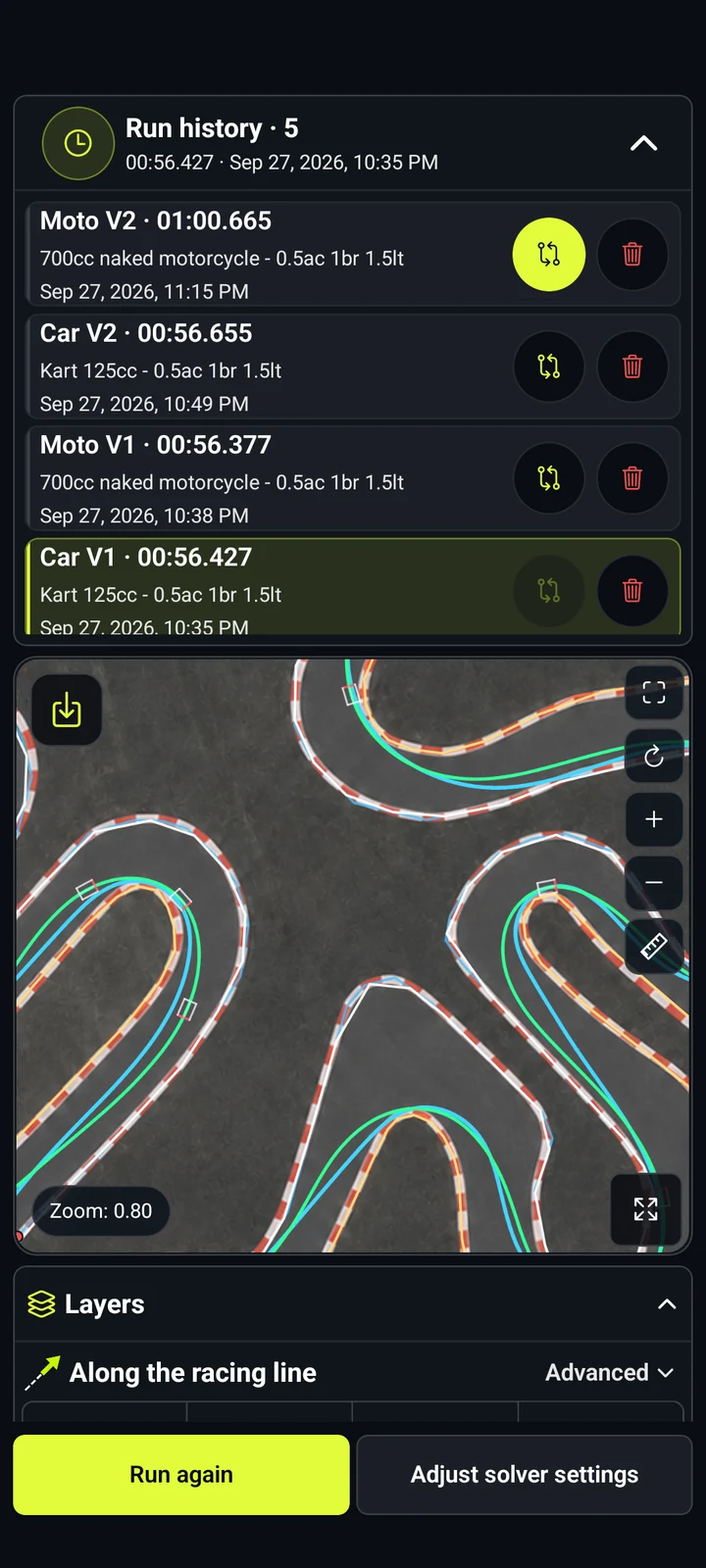
Run comparison - RaceLineCalc
Run comparison

What is RaceLineCalc?

RaceLineCalc turns your track image into a measurable 2D track and calculates its racing line.

Use it for karting circuits, permanent tracks, private layouts, or lesser-known venues when you have an image but no ready-made digital track model.


Workflow

How it works

  1. Import a track image, plan, sketch, or satellite view into a local project.
  2. Calibrate the image scale using a known distance.
  3. Trace or generate the left and right track boundaries and place the start line.
  4. Choose the driving direction, station count, physical model, and preset.
  5. Calculate the racing line locally on the device.
  6. Review lap time, speed, acceleration, and braking, then compare saved runs.

Store availability

RaceLineCalc is available on Google Play

The Android app is available now on Google Play by direct link or QR code. Availability on other platforms has not been announced.

RaceLineCalc Google Play QR code Google Play
App Store QR code will be added later App Store

If the QR code does not open, use the direct store link.

Racing calculations

What this racing calculator calculates

RaceLineCalc focuses on the track calculations drivers and motorsport enthusiasts can inspect before validating the result in practice.

Racing line from a track image

Turn a plan, sketch, or satellite view into a calibrated 2D track and calculate its racing line.

Lap time and speed

Inspect the calculated lap time and speed profile for the selected geometry, physical model, and parameters.

Braking and acceleration

Review braking points and longitudinal and lateral acceleration along the calculated line.

Saved run comparison

Compare two runs on the same track geometry and see how model or setup changes affect the result.

Point model

Start with a compact model that focuses on track geometry and a configurable acceleration envelope.

Car model

Explore presets and parameters for mass, power, braking, grip, dimensions, drivetrain, and aerodynamics.

Motorcycle model

Calculate a motorcycle racing line with bike-specific presets, acceleration limits, and lean-angle results.

Results you can inspect

Review the racing line, lap time, speed, longitudinal and lateral acceleration, braking points, run history, and a two-run comparison on the same track geometry.

Local project workflow

Core project editing and calculation run on the device without a mandatory account or project upload. Store purchases, advertising, and external links may require network access.

Model scope

  • RaceLineCalc calculates on a calibrated flat 2D track model.
  • Elevation, jumps, camber, changing surfaces, weather, traffic, and driver decisions remain outside the current model.
  • Source-image quality, scale calibration, boundary placement, model choice, and parameter values shape the calculated result.
  • Use the result together with real track knowledge, telemetry, and safe track testing.

FAQ

What kind of racing calculator is RaceLineCalc?

RaceLineCalc is a motorsport calculator for track geometry, racing lines, speed, acceleration, braking, and lap times. It does not calculate fuel consumption, pit strategy, race odds, or betting returns.

Does RaceLineCalc calculate the optimal racing line?

Yes. It calculates the racing line for the track geometry, physical model, and parameters you provide. The current calculation uses a calibrated flat 2D track model.

Can I use RaceLineCalc for karting tracks?

Yes. Import indoor, outdoor, rental-kart, or custom circuit images, calibrate the scale, trace the track, and calculate the racing line.

Does RaceLineCalc support motorcycles?

Yes. The motorcycle model has bike-specific presets and parameters and calculates speed, acceleration, braking, and lean angle.

Does it calculate speed and lap time?

Yes. Completed runs include calculated lap time, speed, acceleration, and braking. The values come from the selected physical model and track geometry.

Does RaceLineCalc require an internet connection or account?

Core project editing and local calculation do not require an account or project upload. Store purchases, advertising, and external links may require internet access.

Which real-world effects are outside the 2D model?

The current flat 2D model covers track geometry and selected vehicle parameters. Elevation, jumps, camber, changing grip, surface condition, weather, traffic, and driver choices remain outside its scope.